We have a bit of automation for bits and pieces around the house, all strung together using Home Assistant running on a Raspberry Pi.
A few years ago I used a bunch of Amazon Dash buttons for logging things – monitoring coffee intake, turning on and off lights. Most of the heavy lifting was done by a script on the router (dd-wrt) spotting and blocking packets from the button and then changing a status via the Home Assistant API. So far so good.
These have fallen to the wayside as we’ve adopted more Hue switches and generally getting a life. However, the most enduring use has been the Cat Food Monitor.
There is a button on the side of the cat food jar which we press whenever we feed the cat and sets a light on the side to go green. After a few hours the light turns blue. This has proved handy to organise cat feeding between the four of us and helps us avoid this:

And here is the button:
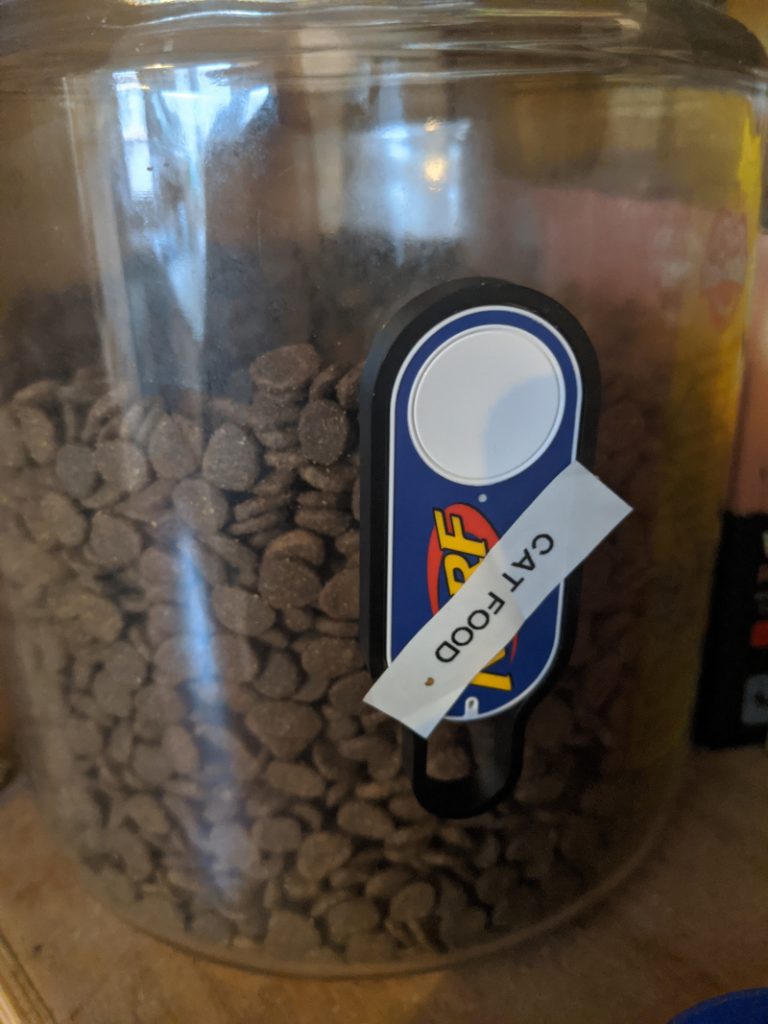
A couple of days ago this stopped working. I checked and there was no traffic on the network, nor was there anything in the Amazon app to reconfigure. Turns out I’d completely missed the announcement last year that Dash buttons were being discontinued.
Not willing to give up on them just yet, I did some digging and came across this article which has instructions for hacking them back into life. The instructions are clear and Just Work. In summary they are:
- Long press the button so that the light flashes blue
- Play this wav file at the device – really! This is from some amazing work by Hunz digging into the audio setup and finding a buffer overflow exploit. The light goes green and then goes off.
- Long press again to get the blue light, connect to the “Amazon ConfigureMe” wifi
- Send wifi configuration details by fetching from this URL:
http://192.168.0.1/?amzn_ssid=[WIFI-NAME]&amzn_pw=[WIFI-KEY]
WIFI-NAME and WIFI-KEY being the connection details for your network, obvs 🙂
This brings the device back up. I also had to double-check the outbound rules on the firewall to make sure that this wasn’t going to trigger Amazon’s deactivation payload (boo!)
It’s worth reading Chris Mullins’ post in full because there’s a bunch of extra info there.
Happily, it’s all working again and there’s no risk of an enormous cat just yet.